
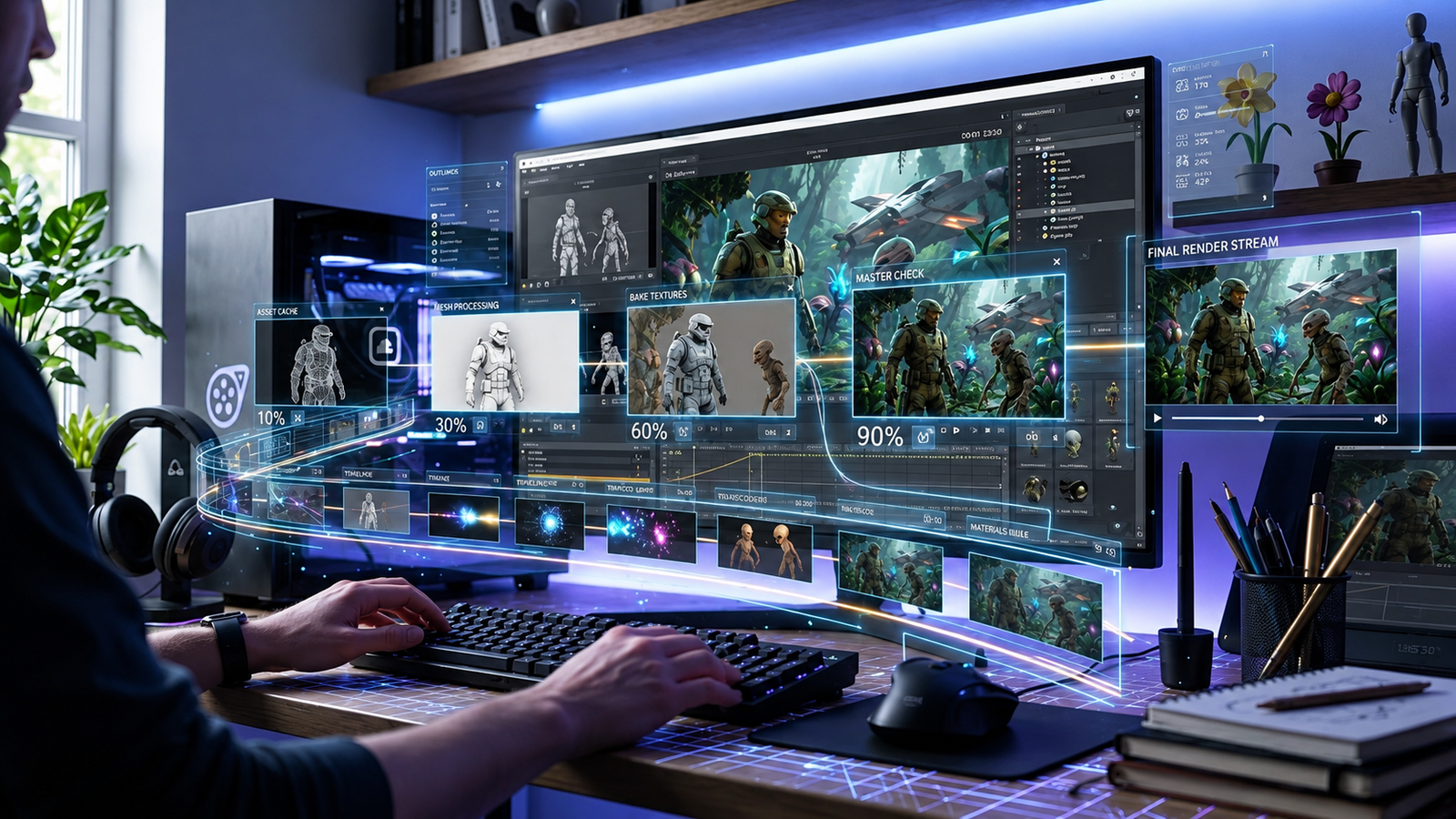
The SFM compile is an essential thing for those who are working with the Source Filmmaker and their custom assets. In fact, it enables the conversion of the model, the animation, the material, and other files into the proper form which can be used by SFM. As for newbies in this sphere, this process might seem complicated due to the variety of the files, the folders, the tools, and the configuration files that are used during the compilation process. Nevertheless, when the basic information about this process is known, everything seems much clearer and simpler.
SFM itself gives animators a relatively visual workflow. You can position characters, animate cameras, adjust lights, add effects, and build complete scenes without thinking about compilation every minute. Compilation becomes important when you move beyond assets that already work inside SFM. If you create a custom character in Blender, modify an existing Source model, import a new animation, or prepare a map from another Source title, the engine may require those files to be converted or recompiled before they behave correctly.
That is where understanding SFM compile becomes useful. Compilation isn’t simply a mysterious technical step reserved for experienced modders. It is part of the bridge between content-creation software and the Source engine. Once you understand what the compiler expects, how file paths work, what QC files do, and how to interpret compile logs, the entire process becomes far more manageable.
What Is SFM Compile?
The phrase SFM compile commonly refers to preparing custom assets so they can function properly inside Source Filmmaker. This is especially important for custom models. A model created in ordinary 3D software isn’t automatically a Source-compatible model. It may contain the geometry, skeleton, UV coordinates, and animation data you need, but the Source engine still requires that information to be organized in its own format. Valve’s documentation explains that a QC file controls the process of compiling source model data such as SMD files into a binary model that the engine can load.
This distinction matters because people occasionally use “compile” and “render” as though they mean the same thing. They don’t. Compiling normally concerns preparing assets for the engine. Rendering concerns producing the visual frames or final movie from an SFM scene. You might spend hours compiling and troubleshooting a custom character before animation begins, while rendering normally takes place after your animation, lighting, camera work, and other scene elements have been completed.
You can think of compilation like translating instructions into a language SFM Compile understands. Your original 3D files contain useful information, but Source Filmmaker expects that information to follow specific structures and conventions. The compiler reads those instructions, checks the necessary files, processes the model, and creates the Source-compatible output. If something is missing or incorrectly referenced, the compile log usually gives you clues about what went wrong.
Why SFM Compile Matters for Custom Source Filmmaker Projects
One of Source Filmmaker’s biggest strengths is its connection to Source-engine assets. Valve specifically notes that SFM Compile can use a substantial library of maps, models, animations, objects, sounds, and effects, while additional content can also be imported. This gives creators an enormous starting point. However, custom projects often require characters, props, environments, or animations that aren’t already available in the correct format.
Compilation allows you to expand beyond the default asset library. Imagine that you have designed an original robot character in Blender. The character might look perfect inside Blender, but SFM doesn’t simply treat the Blender project as a finished Source model. The geometry, bones, material references, and other model information must be organized according to Source’s requirements. Compilation handles that conversion and produces the files the engine needs.
Good compilation also affects reliability. A poorly prepared model may technically compile while still creating problems later. Materials might point to the wrong directories, bones may not behave as expected, animations may fail, or the model could produce warnings that become troublesome during animation. For that reason, experienced creators don’t treat SFM compile as a final checkbox. They see it as part of an asset-development workflow that includes preparation, compilation, testing, debugging, and refinement.
Understanding the Basic SFM Model Compilation Workflow

A typical SFM compile workflow starts in your 3D application. Blender is commonly used by community creators, although the underlying concept isn’t tied to one program. During this stage, you prepare the geometry, UV mapping, skeleton, weights, and animations. Clean source data makes everything that follows easier because a compiler can’t magically repair every modeling or rigging mistake.
The model information then needs to be exported into a format supported by the relevant Source pipeline. SMD and DMX are commonly associated with Source asset workflows. Alongside those files, model compilation normally involves a QC file. Valve’s documentation defines QC as the script controlling how model source files are compiled into a binary model. Rather than containing the entire model itself, the QC works more like a set of instructions describing how the compiler should assemble the asset.
Finally, a Source model compiler processes the files. StudioMDL is the Source model compiler documented by Valve, while community workflows may use graphical front ends or other tools built around Source’s compilation process. After compilation, the finished model files need to exist inside the appropriate SFM content structure so Source Filmmaker can locate them. At that point, the real test begins: open SFM Compile the asset, inspect its materials, test the skeleton, and make sure the model behaves properly in an actual scene.
The Role of QC Files in SFM Compile
The QC file is one of the most important pieces of an SFM Compile model compilation pipeline. New users sometimes assume that the compiler can inspect a mesh and automatically determine everything about it. Source doesn’t work that way. The QC file provides explicit instructions that tell the compiler how the model should be assembled. Valve’s documentation describes QC as a script used to control compilation, making it effectively the blueprint for the finished Source model.
Depending on the model, a QC can describe information related to the model’s source mesh, material directories, animations, body groups, attachments, collision properties, and other engine-specific behavior. More advanced assets naturally require more complex instructions. A basic static prop may have a fairly simple configuration, while an expressive character with multiple animation sequences and additional features can require considerably more planning.
Because the QC file coordinates so much of the process, small errors can cause surprisingly large problems. A filename may be incorrect by one character. A folder may be referenced differently from the actual directory. An animation file might not exist where the QC expects it. Instead of repeatedly changing random settings, inspect the QC carefully and compare every important reference with your actual files. This systematic approach is much faster than guessing.
SFM Compile Errors and Why They Happen
Compile errors are normal when learning SFM Compile asset creation. Even experienced creators encounter them because custom models can contain many interconnected files. The most useful habit you can develop is reading the compile log instead of immediately assuming the entire project is broken. A compiler usually stops or reports warnings for a reason, and the surrounding message often points toward the relevant model, file, directory, or command.
Missing files are among the easiest problems to understand. Suppose your QC expects an animation named idle.dmx, but that file was renamed or exported into another directory. The compiler can’t use information it cannot locate. Community troubleshooting discussions around SFM regularly show missing or incorrectly referenced DMX, SMD, and QC resources as causes of failed model compilation. When this happens, confirm the actual filename and location before changing anything else.
Path problems are similarly common. Source asset workflows rely heavily on predictable folder structures and material references. Your model can compile while still appearing incorrectly if its materials don’t resolve properly. This is why troubleshooting should continue inside SFM Compile after the compiler reports success. Successful compilation only tells you that the compiler produced an output; it doesn’t guarantee that every artistic and technical feature behaves exactly as intended.
Materials, Textures, and Models After SFM Compile
A compiled model and its visible surface appearance are closely connected but not identical. The geometry defines the object’s shape, while its materials tell Source how that surface should look. Consequently, a model can exist correctly in SFM yet still appear visually wrong if its material setup is incomplete. This often confuses beginners because they assume a visible model automatically means the entire compilation pipeline worked perfectly.
Material directory organization is therefore worth planning before you compile. Rather than scattering source textures across random locations and fixing paths later, establish a consistent structure for the project. Use clear names that are easy to recognize, and keep related assets together. A disciplined folder structure becomes increasingly valuable as your project grows from one experimental prop into dozens of characters, environments, and reusable assets.
Testing should also happen with more than one lighting situation. A material that looks fine under flat illumination can behave differently under dramatic SFM lighting. After compiling the model, create a simple test session with a few lights, inspect the asset from multiple camera angles, and look for unexpected shading, seams, transparency issues, or unusual surface responses. The goal isn’t merely to make the model load. The goal is to make it dependable enough for actual filmmaking.
Compiling Maps and Other Assets for Source Filmmaker
Models aren’t the only assets associated with SFM compilation. Maps can also require special preparation, particularly when creators want to use environments originating from other Source games. Valve’s Source Filmmaker troubleshooting documentation notes that additional models or maps can require recompilation for SFM Compile. This is an important reminder that assets built for one Source environment aren’t guaranteed to behave perfectly in every other Source-based tool.
Map workflows differ from model workflows because levels contain much more than one mesh. A map can include world geometry, entities, lighting data, props, visibility information, and other engine components. That means map compilation is its own technical area. If you’re completely new to SFM customization, learning model compilation first is often easier because it lets you understand Source paths and asset organization without simultaneously dealing with an entire level.
You should also be careful about assuming that every downloadable Source map can simply be dropped into an SFM folder. Some maps work with little adjustment, while others need troubleshooting or recompilation. The same general principle applies to models: identify the source, understand what engine configuration it was built for, keep backups, and test the asset in a separate environment before relying on it for an important animation project.
How to Troubleshoot an SFM Compile Systematically
The fastest troubleshooting method is usually a structured one. Begin with the first meaningful SFM Compile in the compilation output rather than the final line. Later messages can sometimes be consequences of an earlier problem, so fixing the first failure may resolve several additional errors automatically. Read filenames carefully and compare them with your folders, exported source files, and QC instructions.
Next, simplify the project whenever possible. If you’re compiling a complex character with several animations and optional features, temporarily testing a simpler configuration can help reveal whether the core model works. This is a standard debugging principle: remove variables until you identify the component that introduces the failure. Once the basic model compiles correctly, additional features can be restored gradually.
Finally, keep different versions of your working files. Don’t overwrite the only functioning QC because you want to test several experimental commands at once. Maintain a stable version, make one meaningful change, compile again, and note the result. This may feel slower for the first few minutes, but it prevents the frustrating situation where five things have changed and you no longer know which modification caused the new error.
SFM Compile Best Practices for Beginners
Your SFM Compile priority should be organization. Create a predictable project structure before you start exporting files. Give models, animations, textures, and configuration files clear names. Avoid constantly renaming folders halfway through the project because every name change can create another broken reference. Source pipelines become much easier when you can immediately tell where each asset belongs.
Your second priority should be incremental testing. Don’t build an extremely complicated character and wait until the end to attempt your first compile. Compile an early version once the basic mesh and skeleton are ready. Then test the materials. Add another feature and test again. By working in stages, you dramatically reduce the number of possible causes when something fails.
Your third priority should be preserving your source files. Compiled output is not a substitute for the original Blender project, exported model files, textures, animation sources, or QC configuration. Keep those files backed up and clearly versioned. If you return to an old SFM project several months later, your future self will appreciate being able to understand how the asset was created instead of reconstructing the entire pipeline from memory.
SFM Compile vs. Rendering in Source Filmmaker
One of the biggest misconceptions surrounding the keyword SFM compile is that compilation means exporting your finished SFM animation as a video. These processes should be separated conceptually. Asset compilation prepares engine-compatible resources. Rendering takes the animated scene you created with those resources and produces visual output. The two may exist within the same filmmaking workflow, but they solve different problems.
For example, imagine you download or create a custom creature for an animation. Before you begin filming, you may need to prepare and compile that creature so SFM Compile can load it. After it appears correctly, you animate its body, create facial expressions, position the cameras, design the lighting, and add environmental effects. Only after the creative scene is ready do you move into final rendering or export.
Understanding the difference saves considerable troubleshooting time. If a character can’t load correctly, changing final movie-export settings probably won’t solve the problem. Likewise, if your finished movie has rendering or output-quality problems, recompiling a perfectly functional character model usually isn’t the answer. Identify which stage of the pipeline is failing before looking for a solution.
Improving Your SFM Compilation Workflow Over Time
Once you successfully compile several assets, the process starts becoming much less intimidating. You’ll recognize familiar patterns in QC files, learn where Source expects different resources, and become faster at spotting incorrect paths. More importantly, you’ll develop a repeatable workflow instead of approaching every model as a completely new technical mystery.
It also helps to create your own project templates. If several models use a similar structure, a carefully documented working project can serve as a reference. You can compare directory organization, export settings, QC structure, and material setup whenever a new asset fails. Just remember that templates should guide you rather than encouraging blind copying. Different models may require different configurations.
Source Filmmaker also has a long-standing community around custom assets and Workshop content. Valve’s SFM Compile Workshop is specifically designed around discovering and sharing assets for filmmaking projects, including models and other resources. Examining working community assets and established documentation can help you understand how experienced creators structure projects, although you should always respect asset permissions and creator requirements when modifying or redistributing someone else’s work.
Is SFM Compile Still Worth Learning?
For creators who want to go beyond the default Source Filmmaker library, the answer is yes. SFM Compile already provides a substantial set of usable assets, so someone interested purely in basic animation doesn’t need to become an expert model compiler immediately. You can learn cameras, animation, lighting, posing, and storytelling first while using assets that already function correctly.
Compilation becomes valuable when your creative ideas start exceeding the available library. Maybe you want an original character, a redesigned prop, a custom environment, or an asset converted from another legitimate project you have permission to use. At that point, understanding the technical pipeline gives you much more creative independence. Instead of waiting for someone else to prepare an asset, you understand what SFM Compile needs and how to diagnose common problems yourself.
The skill is also useful beyond one individual project because it teaches fundamental ideas about real-time asset pipelines: geometry preparation, skeletons, materials, file dependencies, configuration scripts, engine formats, and debugging. Even if you eventually move to another animation or game-development environment, the broader habit of preparing and validating assets systematically remains valuable.
Conclusion
SFM compile is crucial when using custom models, animations, materials, and other assets in Source Filmmaker. Although the procedure may seem a little complicated at the beginning, the knowledge of file paths, QC files, compilers, and errors makes the task much simpler. The right workflow will allow saving a lot of time, avoiding possible mistakes and ensuring that your custom assets work properly in SFM. The best strategy would be to test files step by step, to make back-ups and to analyze compile errors every time one occurs. With experience, the task becomes much simpler and allows creating SFM projects.
For beginners, the process can seem frustrating because one incorrect filename, missing source file, or broken reference can stop an otherwise good model from working. The solution is rarely random experimentation. Keep your files organized, study the compile log, verify paths carefully, test one change at a time, and maintain backups of known working versions. Those habits make troubleshooting significantly easier.